Ksama Arora
Register an Mlflow model
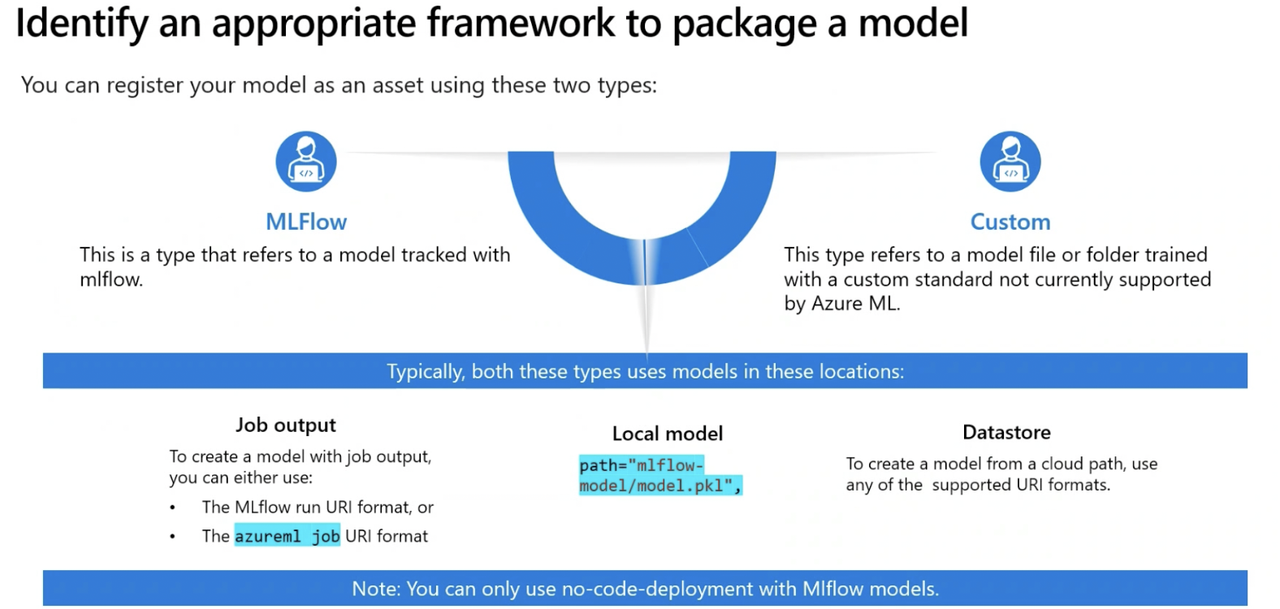
To easily manage model, store model in Azure ML model registry. It makes it easy to organize and keep track of trained models. When you register a model, you store and version the model in workspace. The registered models are identified by name and version. You can also register models trained outside Azure ML providing the local path to the models artifacts.
3 types of models you can register:
- MLflow: Model trained and tracked with MLflow. Recommended for standard deployments.
- Custom: Model type with a custom standard not currently supported by Azure Machine Learning.
Triton: Model type for deep learning workloads. Commonly used for TensorFlow and PyTorch model deployments. Ideal for compute-intensive and no-code deployments
- To register an Mlflow model, you can use Studio, Azure CLI, or Python SDK
Sample code of training model by submitting script as command job
from azure.ai.ml import command

# configure job

job = command(
    code="./src",
    command="python train-model-signature.py --training_data diabetes.csv",
    environment="AzureML-sklearn-0.24-ubuntu18.04-py37-cpu@latest",
    compute="aml-cluster",
    display_name="diabetes-train-signature",
    experiment_name="diabetes-training"
    )

# submit job
returned_job = ml_client.create_or_update(job)
aml_url = returned_job.studio_url
print("Monitor your job at", aml_url)
- Once job is completed and model is trained, use job name to find job run and register the model from its outputs
from azure.ai.ml.entities import Model
from azure.ai.ml.constants import AssetTypes

job_name = returned_job.name

run_model = Model(
    path=f"azureml://jobs/{job_name}/outputs/artifacts/paths/model/",
    name="mlflow-diabetes",
    description="Model created from run.",
    type=AssetTypes.MLFLOW_MODEL,
)
# Uncomment after adding required details above
ml_client.models.create_or_update(run_model)
All registered models listed in Models page of Azure ML studio